Rentometer Rent Comps
Rent Comps for Any Address
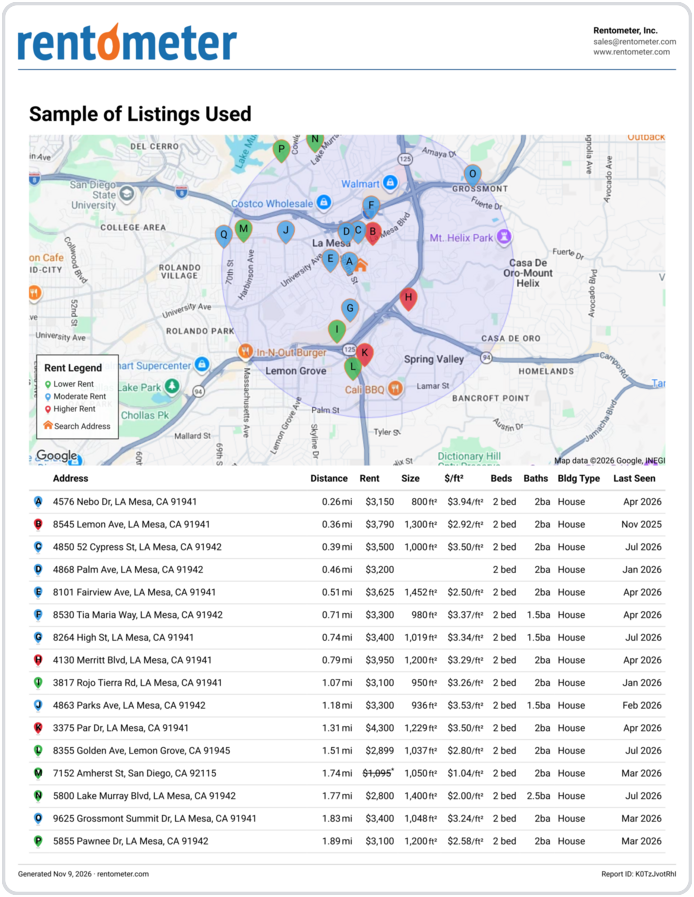
See the comparable rentals around a property: what nearby homes with similar bedrooms, baths and square footage are listed for, how far away they are, and where they sit on the map.
What are rent comps?
Rent comps, short for rental comparables, are rental properties near a subject property that are similar to it: the same number of bedrooms, a comparable number of bathrooms, a similar size and building type. What those homes are advertised for tells you what renters in that area are being asked to pay for a home like yours.
Landlords use rental comps when a unit comes vacant or a lease comes up for renewal. Investors use them to estimate the income a property could produce before they buy. Agents and property managers use them to show owners and clients the market behind a number. In each case, a handful of well-chosen comps is more convincing than a single figure on its own.
Finding comps by hand means scrolling listing sites, noting addresses and rents, and working out which ones are close enough and similar enough to count. Rentometer does that legwork: enter an address, and it gathers the comparable rentals around it from millions of rental data points nationwide.
Rentometer provides the market data and insights. It does not set, suggest, or recommend what rent to charge; the pricing decision belongs to you.
What You See for Every Comp
The details that make a rental comparable, laid out so you can judge each one.

Advertised Rent
The asking rent for each comparable rental, plus rent per square foot when the size is known.

Beds, Baths and Size
Bedrooms, bathrooms, square footage and building type, so you can see how closely each comp matches.

Distance and Location
How far each comp is from the subject property, with every listing plotted on a map.

When It Was Listed
When each listing was last seen, and a lookback filter to focus on recent rentals.
How to Research a Rent with Comps
Start from the address you know, look at the range the comps make, then dig into the listings behind it.
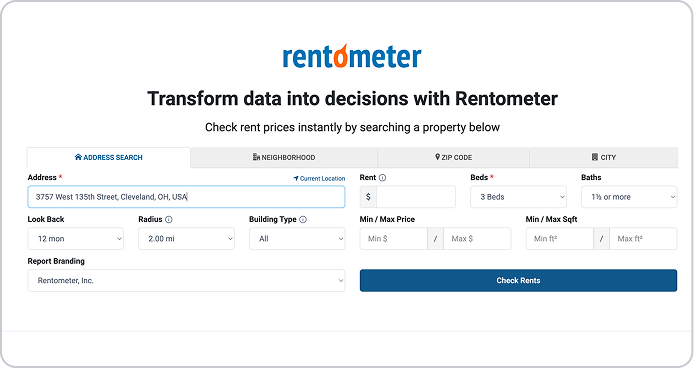
1. Enter the property
Type the address and choose the bedroom count. Add baths or other filters if you want a tighter match.
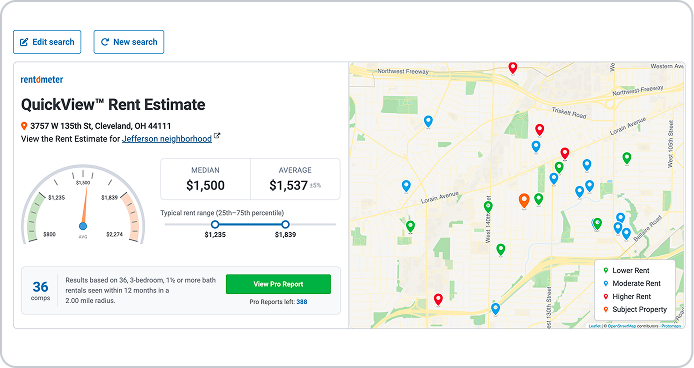
2. Review the range
See the average, median and 25th to 75th percentile rents of the comparables, with the sample size and search radius behind them.
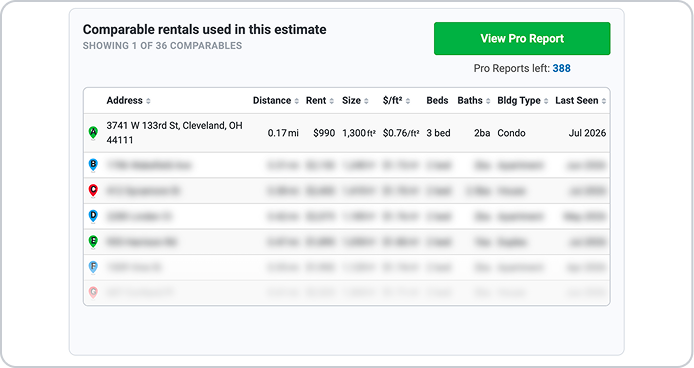
3. Check the comps
Look at where the comps are, refine the search, and open a Pro Report to compare the individual listings.
Every comp in one place in the Pro Report.
A Rent Estimate summarizes the comps around a property. The Pro Report lists them, so you can see exactly which rentals the range is built from.

A detailed comps table
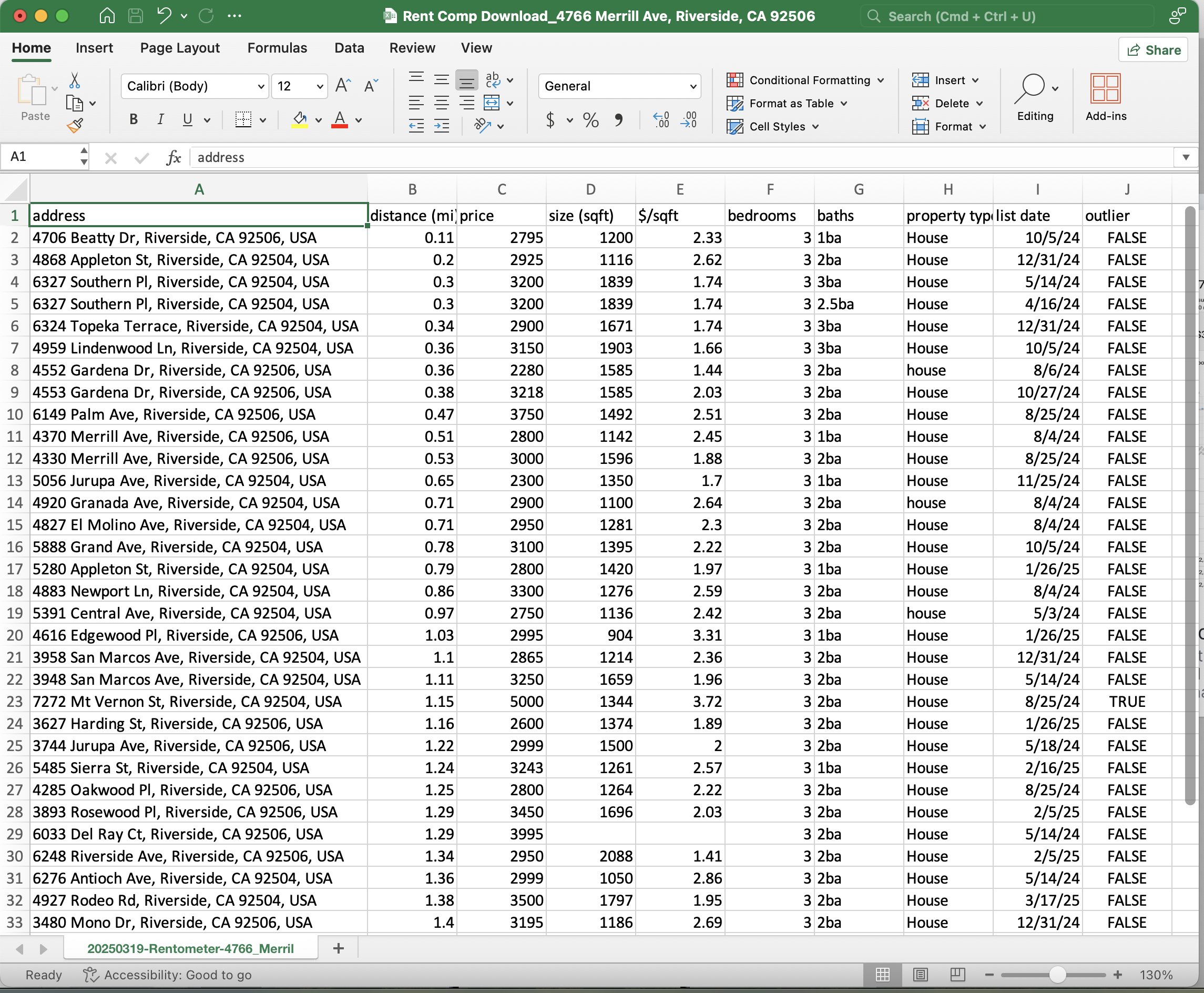
Address, rent, distance, square footage, price per square foot, bedrooms, bathrooms, property type and the date each comparable rental was last observed.
An interactive comps map
See every comp around the subject property, with quick links to Google Search and Street View.
Property records for the comps
Public record context, such as year built, lot size and sale history, for the subject property and every comparable rental in the analysis.
Comp downloads
With eligible paid plans, get detailed rent comp data in a CSV download for full analysis and insights.
Who Uses Rent Comps
Anyone who needs to know what comparable rentals are listed for.
Landlords
Research the local market before listing a vacancy or discussing a renewal with a tenant.
Property managers
Show owners the comparable rentals behind your market recommendations, across every property you manage.
Real estate agents
Give clients and prospects a data-backed view of rental comps for a listing or a potential purchase.
Investors
Estimate rental income from comps while you evaluate a property, before you make an offer.
